Description
Overview
The Mimaki OPT-C0242 is the sheet table
option for Mimaki CG-series cutting plotters. A cutting plotter normally feeds
roll media; the sheet table adds a flat, rigid support surface so sheet
materials – especially cardboard – can be placed on the machine and cut or
creased. In the official Mimaki CG-AR series option list, Sheet table
= OPT-C0242, quantity 1.
This is an option for a cutting plotter, not a spare part for an
inkjet printer. There is no printhead, ink path or electrical
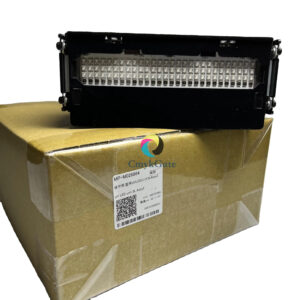
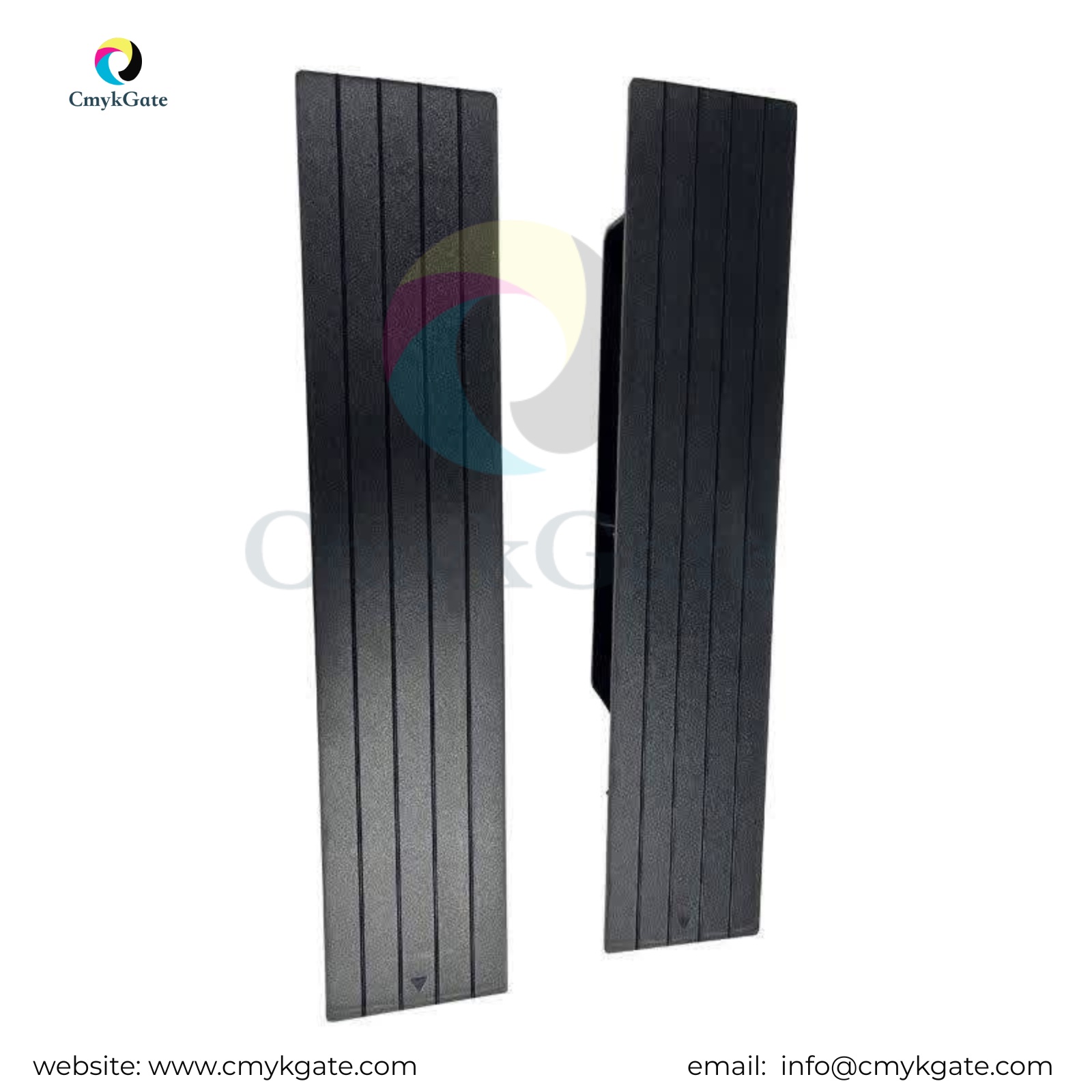
function involved. Our photo shows the two black, longitudinally grooved
support panels that make up the pictured kit.
What the Sheet Table Is For
Mimaki’s brochure shows the cardboard workflow as a sequence: install the
sheet table, attach cardboard to a cutting sheet, then place it on the table.
The same note lists the dedicated options needed for cardboard work –
sheet table, cutting sheet, blade for heavy paper and creasing
tool. With the creasing tool the machine can also make folding
lines, so paper crafts, packaging prototypes and POP displays can be produced
on one device.
- Sheet table – OPT-C0242 (1 pc) – the part on this page
- Cutting sheet – SPC-0888 (2 pcs) – holds the cardboard on the table
- Blade for heavy paper – SPB-0092 (3 pcs) – for full cutting of board
- Creasing tool – OPT-C0243 (1 pc) – scores folding lines
Related genuine options in the same official list include the stand for
CG-60 (OPT-C0241) and the sheet baskets 60 / 100 / 130 (OPT-C0234 /
OPT-C0232 / OPT-C0233).
Compatibility
OPT-C0242 is commonly supplied for the Mimaki CG-60AR and
CG-60SRIII cutting plotters and is listed as an option in the
CG-AR series documentation. Because sheet-table fittings differ between
plotter generations, please confirm your exact model and the part
number with us before ordering – send us a photo of the machine’s
model plate or the existing table mount and we will check the fit. If you are
setting up a new machine, the
CG-60AR cutting plotter
and the
CG-130AR cutting plotter
are available separately.
Important Limitations (from the official brochure)
- Adaptable sheet sizes for this option are stated as up to
A3 in the Mimaki brochure; feed length is also limited depending on
the software used. - Full cut and half cut have specified
settings and restrictions – refer to the operation manual before setting up
a cardboard job. - Thick cardboard may reduce cut quality and precision.
Always run a test cut and adjust blade pressure and speed for your board. - For fluorescent and reflective sheets, Mimaki specifies the dedicated
blade for each material; the heavy-paper blade is for board.
What You Receive
The photo on this page is our own product photograph of the kit’s two
black, grooved sheet-support panels. If your installation also needs mounting
hardware, a cutting sheet, blades or a creasing tool, tell us when requesting
a quote so we can include the correct items. We inspect every part before
dispatch, and we can supply the matching consumables from stock:
- Mimaki OPT-C0243 creasing tool
- Cutting sheet SPC-0888 (2 pcs)
- Cutter holder for CG-60AR / CG-130AR
- Media clamp assembly MP-M026616
Delivery & Support
- Spare parts and options ship worldwide in 2-7 working days
via DHL / FedEx / UPS / TNT, packed in a protective carton. - Every part is checked before dispatch; tell us the machine model and part
number so we can verify compatibility first. - Need a machine, a stand or a full cardboard-cutting option set? Ask us
for a combined quote – we supply the plotters as well as the parts. - Technical support from printing-equipment specialists, including blade
selection and cut-setting advice for cardboard and sheet media.
FAQ
What exactly is OPT-C0242?
It is the Mimaki sheet table option (quantity 1 in the official CG-AR
series option list) – a flat support table that lets a CG-series cutting
plotter handle sheet materials and cardboard instead of roll media only.
Which plotters does it fit?
It is commonly supplied for the Mimaki CG-60AR and CG-60SRIII cutting
plotters and is listed in the CG-AR series documentation. Fittings differ by
generation, so confirm your exact model and part number with us before
ordering; a photo of the model plate is enough for us to check.
What else do I need to cut cardboard?
The official brochure names four dedicated options: sheet table
(OPT-C0242), cutting sheet (SPC-0888, 2 pcs), blade for heavy paper
(SPB-0092, 3 pcs) and creasing tool (OPT-C0243) for folding lines. We can
quote them together with the table.
What sheet sizes can I use?
Mimaki states adaptable sizes up to A3 for this option, and notes that
feed length is limited by the software used. Thick cardboard can reduce cut
quality and precision, so test-cut first and follow the operation manual’s
full-cut / half-cut settings.
Is this a printer spare part?
No. It is a mechanical option for a cutting plotter – there is no ink,
printhead or electronic component involved. If you are looking for printer
consumables, tell us the printer model instead.
How is it priced and shipped?
Contact us for a quotation. Parts and options ship worldwide in 2-7
working days via DHL / FedEx / UPS / TNT, inspected and packed before
dispatch; combined orders with blades, cutting sheets or a machine can be
quoted together.
Inquiry Form
Ask for a quotation, compatibility check or a combined cardboard-cutting
option set for your Mimaki plotter.
- Part number OPT-C0242 = Sheet table (qty 1), the related option item
numbers SPC-0888 / SPB-0092 / OPT-C0243 / OPT-C0241 / OPT-C0234 / OPT-C0232 /
OPT-C0233, the cardboard cutting workflow, the A3 adaptable-size note, feed
length limits, full-cut / half-cut restrictions and the thick-cardboard
warning: Mimaki official CG-AR series brochure DB10379-02
(February 2022) —
official PDF. - Compatibility with specific machine generations should be confirmed
against your model plate and the manual shipped with your plotter;
specifications and option numbers may change without notice.